

Enterprise organization admins can restrict Comet functionality, depending on their organization’s information security, data protection, and acceptable use policies.
If you’re a member of an Enterprise organization that has applied restrictions to Comet, there are limits to what you can do with Comet when using your Perplexity Enterprise account.
What actions can organizations restrict?
Organizations can currently apply the following Comet restrictions, which affect all users in an organization:
-
Enable or disable Comet access: If an organization disables Comet access, members will not be able to sign in to comet using their Enterprise account.
-
Enable or disable Comet Assistant to control the browser: The Comet Assistant is the side panel in the Comet browser that helps you ask questions, summarize pages, and perform tasks while you browse. In Enterprise organizations, your organization’s admins can disable Comet Assistant altogether, which prevent the Comet Assistant from performing actions like clicking, navigating, and filling forms on your behalf.
-
Disable or restrict Comet Assistant for specific domains or restrict: Organization admins can enable the Comet Assistant globally but choose to disable it for specific domains or limit the actions it can perform on your behalf. For example, they can set Comet Assistant’s access to perplexity.ai to Read Only, meaning it won’t be able to fill out forms on that domain. Setting access to No Access completely disables Comet Assistant for those specific domains.
-
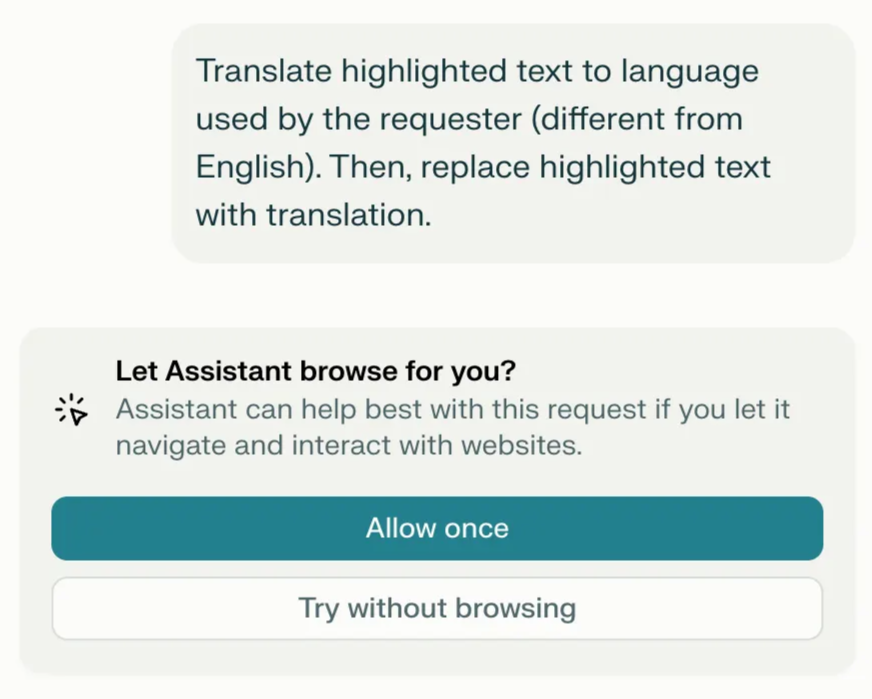
Enable Comet Assistant on a case-by-case basis: Organization admins can enable Comet Assistant for your organization, but disable the “Always Allow” option. This would result in a prompt every time you ask Comet to take action on your behalf.
How do I know if Comet is restricted in my organization?
If Comet has been partially or totally restricted in your organization, you will see an error message describing the specific restrictions.
For example, if your organization’s admins have decided to disable Comet for your organization, you will see a “Your organization has not approved you to use Comet with this account” error message when trying to log in to Comet using your Enterprise account.
Similarly, if your organization has restricted the use of Comet for specific domains, you will see a “Your organization restricts Comet from controlling the browser on this domain” error message when trying to use Comet Assistant on any restricted domain.

Why are these restrictions in place?
Comet for Enterprise is designed for organizations that need strong privacy and security controls for company data.
These restrictions are decided and applied by your organization’s admins to ensure Comet only accesses and acts on sites that are appropriate for your company.
What you can do if you need more access
If you believe Comet needs more access (for example, to a specific internal tool or website) to help with your work, contact your internal IT or workspace admin and share:
-
The website where Comet is restricted.
-
The type of task you were trying to complete (for example, “fill a form” or “summarize this dashboard”).
Only your organization’s admin can change Comet restrictions. We cannot override your company’s settings.
Privacy and data handling
You can learn more about how your organization’s data is protected in the Perplexity Trust Center and the Comet for Enterprise overview.