

How can I delete my data from my Perplexity account?
You can initiate data deletion directly from your account settings, without the need to contact support or submit a separate request.
-
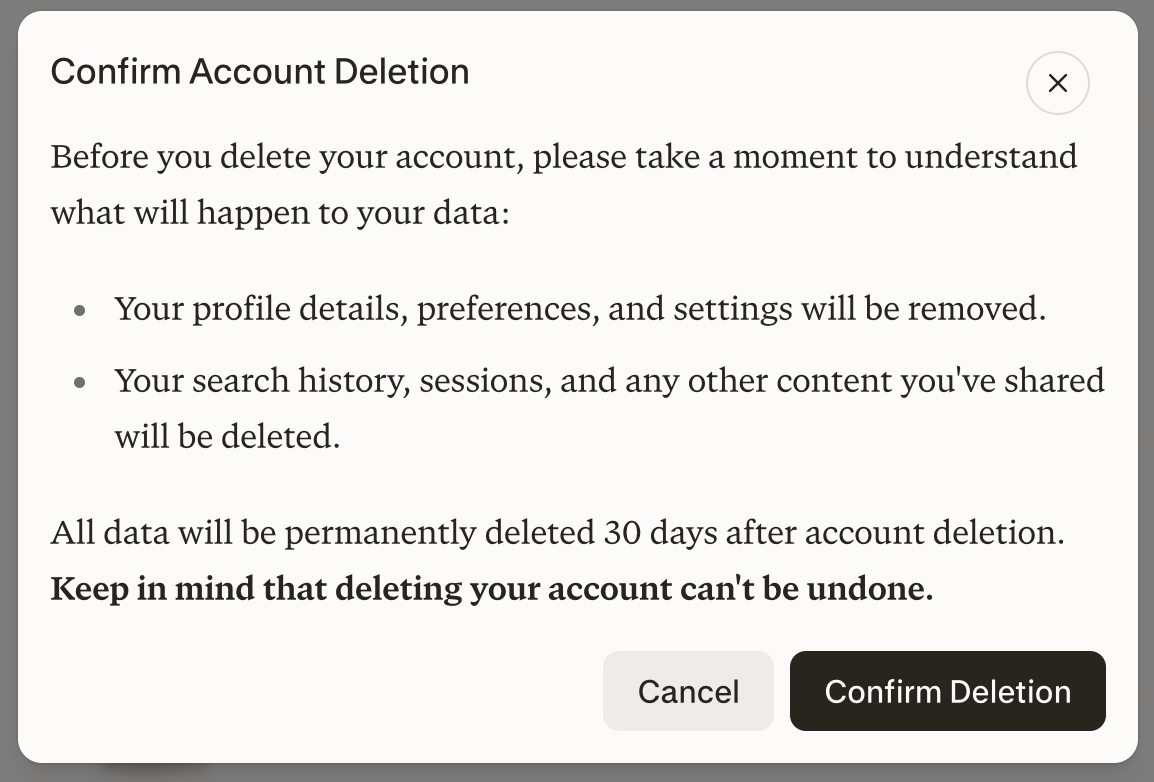
Before deleting your Perplexity account, note that your profile details, preferences, and settings will be removed.
-
Your search history, sessions, and any content you’ve shared are deleted as part of this process.
-
Your account and personal data will be permanently deleted within 30 days. If you change your mind, sign back in as soon as possible. If deletion has not yet completed, signing in cancels your deletion request and reactivates your account. Once deletion completes, it cannot be reversed.
-
Once deletion completes, signing in with the same authentication method creates a new, empty account; your previous data is not restored.
How do I delete my account?
-
Sign into the account and visit: https://www.perplexity.ai/account/details or click on the bottom left corner and then select my account.
-
Scroll to the bottom of the page to find Learn more.
-
A pop up will appear and you will be able to confirm the deletion process.
Can I delete my search history and all other associated data without deleting my account?
If you do decide to delete your account, all of your data will be wiped out. You can open a new account from scratch using the same email. Alternatively you can delete all sessions and projects or a page one by one. We'll break down all possible ways to delete.
How do I delete a specific session and/or project?
Here's how to delete sessions in bulk.
-
Click on the three (...) next to the threads tab and select Delete sessions.
-
This will delete all sessions, please note we will ask you to double check if you wish to delete sessions. This action can't be undone.
Here's how to delete projects or Pages, or individual threads
-
Click on the project or page you wish to delete.
-
Click on the three (...) next to the title and select Delete.
-
Please note we will ask you to double check if you wish to delete the content. This action can't be undone.
How do I delete a specific file or image, or asset generated by Create files and apps?
We only keep your files for 30 days by default. Learn more about file retention here. In order to delete files, images or material uploaded on a session, please delete the entire session.
How can I stop my account deletion?
To stop a pending deletion, sign back in as soon as possible. If deletion has not yet completed, your deletion request will be canceled and your account reactivated. Once deletion completes, it cannot be reversed.
Can Perplexity delete data on my behalf?
We are able to process data deletion requests related to GDPR Data Privacy rights. Please note this process only applies to the Right to Deletion right, this means that we will process full deletion and are unable to accommodate for deletions related to:
-
Individual threads, files, projects or any other content generated with Perplexity.
-
All files expire in 30 days.
-
-
Specific data from specific time periods (I want all threads from x to y date deleted)