

Google Drive Issues
Google-specific settings may block integration. Here's how to fix them:
OAuth Scope Settings
If your organization can't set access to "Unrestricted," try these alternatives:
-
Select "Restricted: Only trusted apps can access a service"
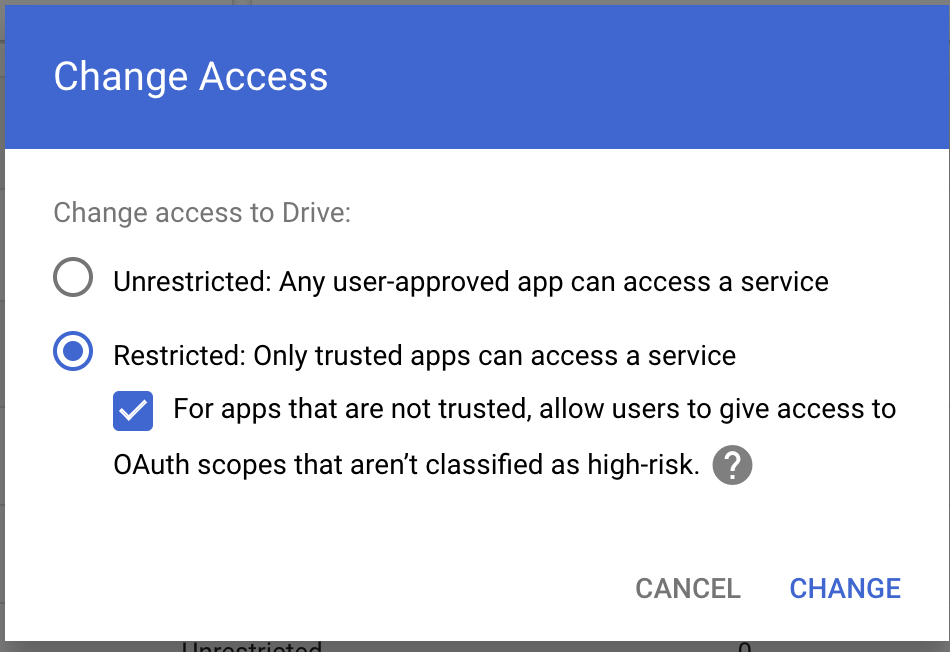
2. Enable "For apps that are not trusted, allow users to grant access to OAuth scopes that aren't classified as high-risk"
Drive SDK Configuration
Check your Google Workspace settings:
-
Go to Google Workspace > Drive and Docs > Features and Applications > Drive SDK
-
Make sure to select "Allow users to access Google Drive with the Drive SDK API"
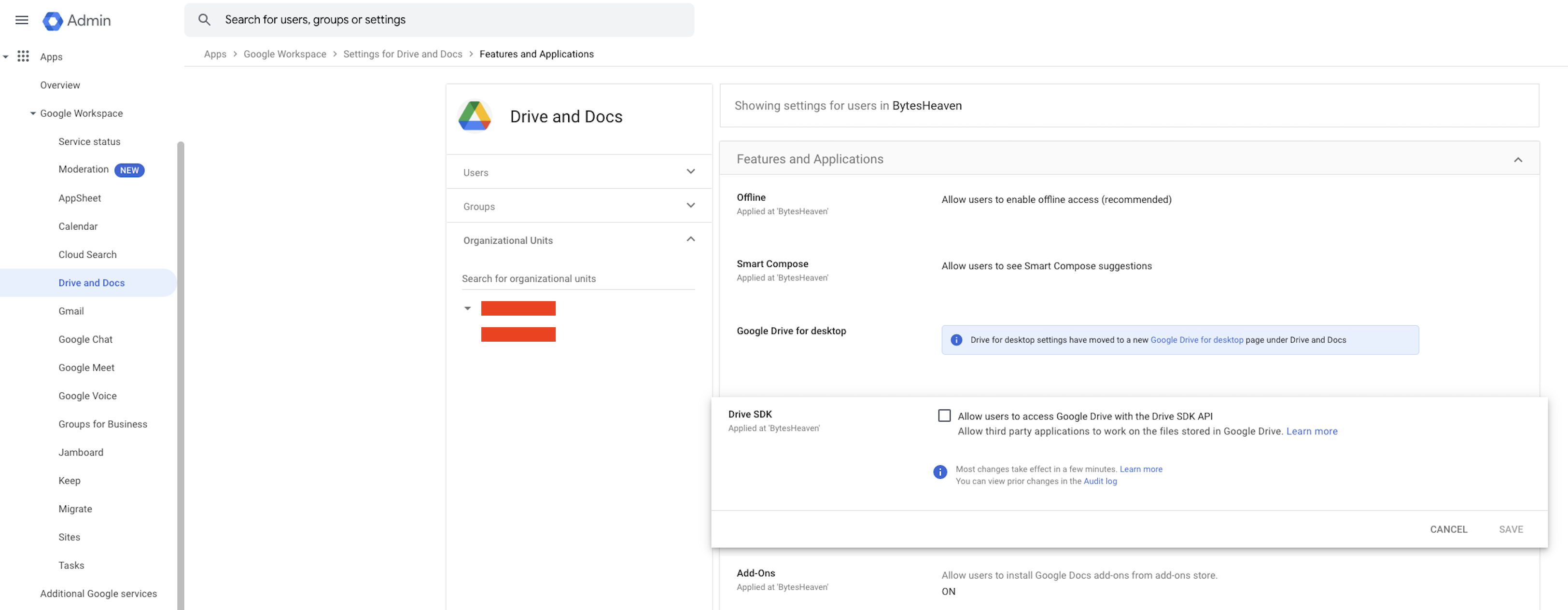
This setting is crucial as it allows Perplexity to work with your Google Drive files.