

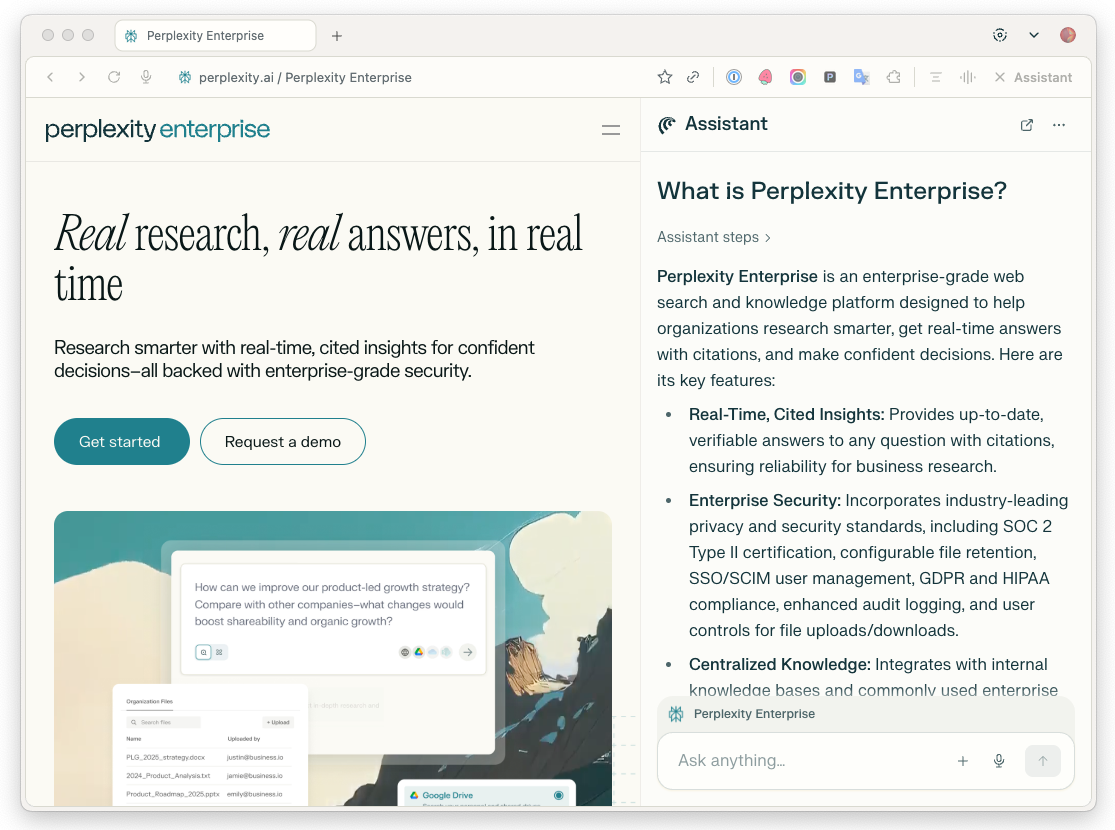
Comet is Perplexity's AI-native browser built for the enterprise. It combines powerful browsing capabilities with AI assistance and the security standards and administrative controls your organization requires, giving your team a smarter, more productive way to work.
Comet is a Chromium-based AI browser with features specifically designed for organizations. Unlike traditional browsers, Comet transforms how organizations interact with the web by providing sophisticated AI assistance directly integrated into your browsing experience while maintaining enterprise-grade security.
Key Enterprise Features
-
MDM Deployment Support - Deploy at scale across macOS and Windows using your existing MDM solution
-
Browser Policy Controls - Configure 500+ Chromium-based policies to customize the browsing experience
-
Agent Permission Controls - Control AI capabilities including website restrictions and action approvals
-
Silent/Offline Installation - Deploy without user interaction or internet connectivity
-
Centralized Management - Manage your organization's Comet deployment from a single dashboard
Why Use Comet?
Comet transforms how Perplexity Enterprise organizations interact with the web by providing sophisticated AI assistance directly integrated into your browsing experience.
Comet works as a unified AI platform that eliminates routine tasks and speeds up day-to-day workflows. It combines Perplexity’s multiple AI capabilities into a single environment, including research assistance, task automation, Files and apps creation, and seamless integration with the applications that most organizations use.
Comet includes two distinct AI assistants for different needs:
-
Comet Assistant serves as your intelligent reading companion, living in your browser's sidebar to help with summarizing articles, emails, and Slack chats, providing conversational support, research assistance, and maintaining awareness across multiple tabs. Think of it as a smart reading buddy that makes work easier and faster.
Enterprise Max includes Comet Max Assistant, which provides the most powerful AI assistant functionality available in Comet, powered by cutting-edge reasoning models for reliability and precision on complex tasks.
-
Comet Agent functions as your digital executor, stepping in to complete tasks autonomously. It can find flights that match your calendar, schedule meetings, fill out forms on websites, manage email subscriptions, and handle multi-step workflows across different platforms. The Agent always checks with you before performing important or sensitive actions, ensuring you maintain oversight.
You will find more ways in which Comet can help improve your organization’s productivity in our free Perplexity at Work Guide.
Enterprise-Grade Security
Comet is built with enterprise data protection at its core. When paired with a Perplexity Enterprise account, it operates under SOC 2 Type II certification and GDPR compliance from day one.
For Enterprise users, no data is ever logged or used to train AI models, ensuring a strong privacy advantage over consumer browsers. All third-party AI partnerships include contractual guarantees that external providers never retain any data transmitted through Comet.
Comet also respects your DNS rules and enterprise security policies. Any sites blocked by your corporate network remain blocked within Comet, ensuring consistent, organization-wide enforcement of security standards.
Getting Started
You can download Comet and obtain your organization token at perplexity.ai/account/org/comet.
Comet for Enterprise is available for:
Trialing Comet
Organization Admins can control which users have access to Comet. This is especially useful for pilot testing Comet with a small group of users before rolling it out across your entire organization.
To enable Comet only for specific users:
-
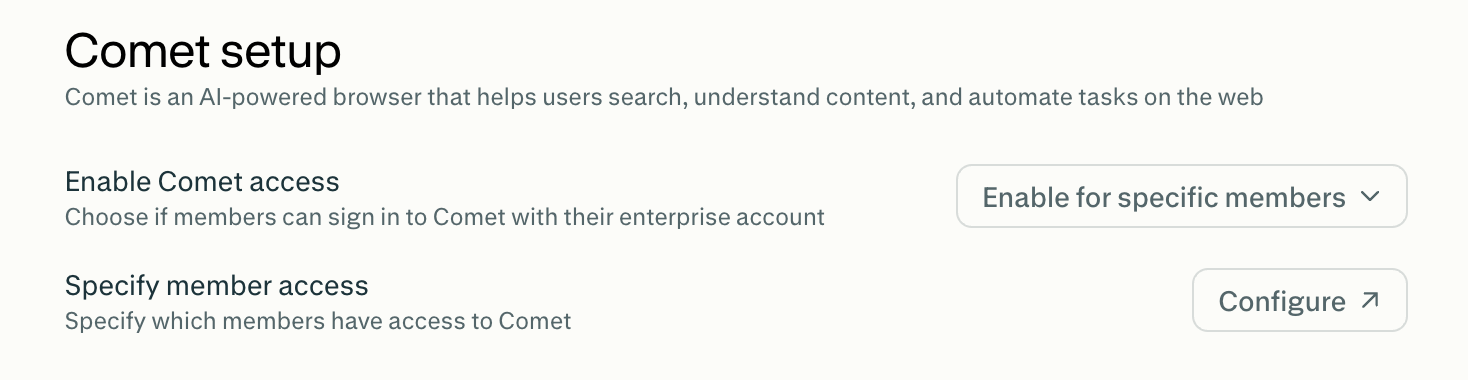
Go to Comet setup in your Organization Settings.
-
Under Enable Comet Access, select Enable for specific members.
-
Click Configure.
-
Turn Disable on for any members you don’t want to grant Comet access.
Browser Policies and Controls
Comet supports 500+ Chromium-based browser policies that allow you to customize the browsing experience for your organization.
You can find all the supported policies here.
Agent Policies and Controls
Organization admins can control Comet's AI capabilities, including restricting what actions Comet’s AI agent can perform within your organization.
You can learn how to manage Comet Assistant permissions for your organization in this article.
Monitoring Comet Usage
Organizations with 50 or more Enterprise Pro seats, or at least one Enterprise Max seat, can enable Audit Logs. Audit Logs provide comprehensive tracking of user activity and administrative actions across your organization.
Organization Admins can also review Comet telemetry data to monitor usage and performance within their organization.
Frequently Asked Questions
How can I manage the data that Comet collects?
Users can manage their data collection settings in Comet Settings, including deleting stored browsing data, saved passwords, sign-in data, and payment information.
Why does Comet request keychain access during installation?
When you install or run Comet (or many other browsers built on Chromium, like Google Chrome), your operating system may prompt you for access to the "Keychain" on macOS. This is a standard security feature in macOS designed to manage your passwords and sensitive information safely.
This prompt is normal when using modern browsers, and responding “Allow” lets your browser manage your passwords as expected. Your credentials and data remain encrypted and protected by macOS’s built-in security.
If you deny the Keychain prompt, you won’t be able to use autofill for saved passwords and may need to enter credentials manually each time.
Is Comet governed by Perplexity’s Enterprise Terms of Service?
When using Comet with Enterprise plans, the same Enterprise Terms of Service apply for accessing Perplexity's answer engine.
You can find Comet’s Terms of Service here.
Does Perplexity provide a silent installer for Comet?
Yes. Perplexity offers a silent installer for Comet that lets you automate deployment across your organization. For detailed setup instructions, refer to the following articles:
Is Comet compatible with Chrome extensions?
Comet is compatible with most Chrome extensions. However, Comet requires that extensions are installed fresh, and extension data does not transfer from Chrome. This means users need to:
-
Individually reinstall and set up all their Chrome extensions
-
Reconfigure extension settings from scratch
-
Cannot seamlessly import their existing Chrome extension library
Have any questions?
For Comet-specific questions, get in touch with our team at comet@perplexity.ai. If you have questions about Perplexity Enterprise, email enterprise@perplexity.ai.